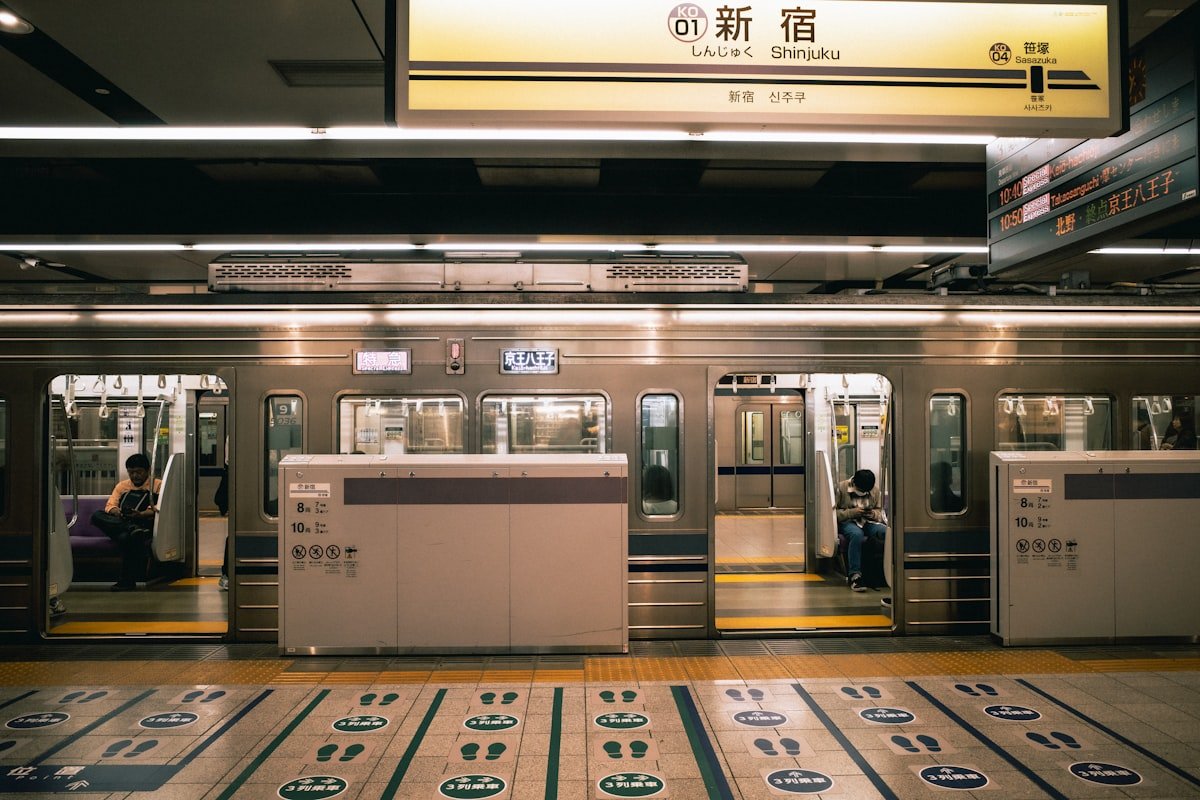
An IC card is the single most useful thing you can carry in Japan. It replaces cash at station gates, buses, convenience stores, vending machines, and coin lockers. It removes the need to buy individual tickets for every journey. One tap to enter, one tap to exit - the fare is deducted automatically at the correct amount.
Suica is the most widely accepted IC card in Japan. This guide covers everything: which card to get, how to buy or set up Mobile Suica, where it works, and what to do with leftover balance when you leave.
Suica, Pasmo, and Welcome Suica - What’s the Difference?
Suica is issued by JR East (Japan Railway East), the operator of JR lines in the Tokyo metropolitan area and eastern Japan. The card features a cheerful penguin mascot and is reloadable with no expiry as long as it is used at least once every 10 years.
Pasmo is issued by a consortium of private railways and subway operators in the Tokyo area (Tokyo Metro, Toei Subway, and most private lines). For all practical purposes, Pasmo and Suica are identical - they work on exactly the same networks and in the same shops. The choice between them is irrelevant to most tourists.
Welcome Suica was introduced specifically for international tourists:
- No ¥500 deposit required
- Pre-loaded in denominations of ¥1,500, ¥3,000, ¥5,000, or ¥10,000
- Valid for 28 days from the date of issue
- Cannot be refunded - any unused balance is forfeited at expiry
- Available at Narita Airport (Terminals 1, 2, and 3) and Haneda Airport (Terminal 3, international)
Welcome Suica makes sense for short trips where you are confident you will spend the full balance. For stays longer than three weeks, or if you want the option to recover unspent funds, a regular Suica is the better choice.
ICOCA is the Osaka/Kansai equivalent, issued by JR West. It works identically to Suica everywhere and is the card you will be offered if you arrive at Kansai International Airport. There is no practical reason to get a Suica specifically if you are based in Osaka or Kyoto - ICOCA does the same job.
Where to Buy a Physical IC Card
Narita Airport: JR East Welcome Service counters in Terminal 1 (South Wing, B1) and Terminal 2 (B1). Ticket machines throughout all terminals. Welcome Suica and regular Suica both available.
Haneda Airport: International Terminal (Terminal 3) has ticket machines on the 3rd floor (arrivals). Regular Suica and Welcome Suica available.
Tokyo stations: Any JR East ticket machine (the green machines) at major stations - Shinjuku, Tokyo, Shibuya, Ueno, Akihabara. Look for the Suica option on the top-level menu. Regular Suica costs ¥500 deposit + your chosen initial charge (minimum ¥1,000, so ¥1,500 total to start).
Convenience stores: Lawson, FamilyMart, and 7-Eleven sell Pasmo and allow top-ups at their registers.
At the machine: select English → select “New Suica” → select denomination → insert cash or credit card. The machine dispenses the card with your initial balance loaded.
Note on card shortages: JR East periodically suspends sales of new physical Suica cards during high-demand periods. If machines show no new cards available, Welcome Suica counters at airports usually maintain separate stock. Mobile Suica (see below) is available regardless of physical card availability. Another reliable option is to pre-order a Suica card through Klook before your trip - this guarantees availability even during shortage periods.
Mobile Suica - iPhone Setup
Mobile Suica on iPhone uses Apple Pay and requires:
- iPhone 8 or later (any country of purchase)
- iOS 10 or later
- A Visa, Mastercard, or American Express card for top-ups
Setup steps:
- Open the Wallet app on your iPhone
- Tap the + button (top right)
- Select Transit Card
- Select Suica
- Choose your initial load amount (minimum ¥1,000)
- Confirm with Face ID or Touch ID - the card is created instantly
To use: hold the back of your iPhone to the IC card reader at the station gate. You do not need to unlock the phone or open an app. Express Transit mode keeps Suica active even when the phone is locked or low on battery.
Top-up on iPhone: Open Wallet → tap your Suica card → tap “Add Money” → choose amount → confirm with Face ID. Charges apply in ¥1,000 increments up to ¥20,000.
Mobile Suica - Android Setup
Android requires the Suica app (available on the Google Play Store) and an NFC-enabled device:
- Download Suica from Google Play
- Open the app and tap “New Suica Card”
- Enter your name, date of birth, and gender (required by JR East for Mobile Suica)
- Add a credit or debit card for top-ups
- Select initial load amount and confirm
To use, hold the back of your Android to IC card readers - the screen does not need to be on, but NFC must be enabled in Settings. The Suica app widget on your home screen shows current balance.
Note: Some Android devices purchased outside Japan may not have the correct NFC chip configuration. Samsung Galaxy, Google Pixel, and most flagship Androids from 2020 onward work reliably.
What You Can Pay With Your IC Card
IC cards are accepted far beyond train stations:
Transport:
- JR trains (local, rapid, and some limited express services - not Shinkansen)
- Tokyo Metro, Toei Subway, and all private railway lines
- City buses across Tokyo, Osaka, Kyoto, Fukuoka, Sapporo, and most major cities
- Airport buses (Limousine Bus from Narita and Haneda, among others)
- Some taxis - look for the IC mark on the window
Retail and food:
- All major convenience stores: 7-Eleven, Lawson, FamilyMart, Ministop
- Most vending machines at train stations and in public spaces
- Coin lockers at stations (increasingly IC-only, no longer accepting coins)
- McDonald’s, Yoshinoya, Matsuya, and many fast-food chains
- Selected supermarkets and drug stores
What it does NOT cover:
- Shinkansen (bullet train) fares - you need a separate ticket or JR Pass
- Long-distance limited express trains that require a reserved seat ticket
- Most taxis outside major cities
- Restaurants outside convenience store chains (though this is changing)
IC Card Interoperability - Which Cards Work Where
Since March 2013, the 10 major IC cards in Japan have been mutually interoperable. A Suica bought in Tokyo works on:
- Osaka Metro, Hankyu, Kintetsu, and Nankai lines
- Kyoto city buses
- Fukuoka subway and Nishitetsu buses
- Sapporo subway
- Hiroshima streetcars and buses
Equally, ICOCA (Osaka), SUGOCA (Fukuoka), Kitaca (Sapporo), and the other regional cards all work in Tokyo on JR East, Tokyo Metro, and Toei lines.
Practical rule: whichever IC card you pick up first - whether that is Suica at Narita, ICOCA at Kansai Airport, or Pasmo at Shinjuku - it will work throughout Japan. There is no need to get a different card when you travel between regions.
The one exception is some suburban and rural bus networks that only accept their local IC card. These are rare and the bus will usually display a sign indicating which cards are accepted.
Refunding Your IC Card
When leaving Japan, you can refund a physical Suica or Pasmo at any JR East ticket machine (green machines) or at a staffed JR East service counter.
The process:
- Insert your card at a JR East green ticket machine
- Select “Refund (Suica)”
- You receive: card balance minus ¥220 handling fee + ¥500 deposit
Example: If you have ¥800 remaining on a regular Suica, you receive ¥800 − ¥220 = ¥580 refunded in cash, plus ¥500 deposit back = ¥1,080 total.
If the balance is ¥220 or less: You receive only the ¥500 deposit - the balance is consumed by the handling fee.
Welcome Suica cannot be refunded. Any unused balance is lost at the 28-day expiry. Plan your usage accordingly.
Where to refund: Any JR East green ticket machine in the Tokyo area (Shinjuku, Tokyo, Ueno, Akihabara, Shibuya stations all have multiple machines). You can also refund at the airport before departure at JR East counters in Narita Terminal 1 and 2.
Non-JR East areas: If you used ICOCA in Osaka, refunds go through JR West machines and counters at major Osaka and Kyoto stations.
Useful Tips
Auto-charge: Both physical Suica and Mobile Suica support automatic top-up. Set a threshold (for example, ¥1,000) and a top-up amount (¥3,000), and the card recharges itself from your linked credit card when balance falls below the threshold. Eliminates the risk of being stopped at a gate with insufficient funds.
Balance check: Your balance shows on the screen whenever you tap through a gate. You can also check at any IC card reader at a convenience store, or via the Suica app (Android) and Wallet app (iPhone).
If your card is lost (physical): A lost physical Suica can be reported at any JR East station service window. If your card was registered in your name (optional when purchasing), the balance can be transferred to a replacement card. Unregistered cards cannot be recovered if lost - the ¥500 deposit and balance are forfeit.
If your phone is lost (Mobile Suica): Suspend the card immediately via the Suica app on another device or at any JR East counter. Mobile Suica has stronger protection than physical cards because it requires Face ID or a PIN.
Battery and offline: Mobile Suica on iPhone works for up to eight hours after the battery dies, using the phone’s reserve power. On Android, the phone must have some charge remaining for NFC to work.
IC card vs paper ticket: The IC card fare is slightly cheaper than buying an individual paper ticket for the same journey on JR local lines. Over a week of daily travel this adds up.
Kyoto buses: Tap when boarding. Some routes (particularly the outbound legs on longer circular routes) also require a tap on exit - the driver’s IC reader handles both. If in doubt, wait and follow other passengers.
Minimum fare gotcha: If your IC card balance falls below ¥130 (the minimum local fare in Tokyo), you will be blocked at the exit gate. Use a top-up machine inside the gate area - there is always at least one - before you can exit. This is a common experience for first-time visitors.
Suica vs the JR Pass - Do You Need Both?
The Japan Rail Pass covers Shinkansen and most JR long-distance trains but does not load onto an IC card. You still need an IC card for:
- Tokyo Metro, Toei Subway, and private railways (not covered by JR Pass)
- Buses
- Convenience store purchases
Most visitors with a JR Pass still carry a Suica for city transport and daily spending. The two work side by side without conflict. See our getting around Japan guide for a full breakdown of when the JR Pass makes financial sense.
If you arrive via Narita Airport or Haneda Airport, you can pick up a Welcome Suica or regular Suica at the airport before boarding your first train - there is no need to queue at a central Tokyo station.
For planning your time in Tokyo, Osaka, or Kyoto, an IC card is the cheapest and fastest way to move around within each city.
Plan Your Trip
- Flights - Find the best fares to Japan
- Hotels - Search hotels in Japan on Booking.com
- Travel Insurance - Get covered before you go
- eSIM - Stay connected from landing
- Car Rental - Compare prices across providers
- Suica IC Card - Pre-order a Suica card on Klook
- Tours and activities - Browse experiences on GetYourGuide